Windows desktop program

The Shelf-Life Predictor

Type in a ganache recipe and get a considered shelf-life estimate in seconds — predicted water activity, a cautious worst case, a shelf-life category, a confidence rating and a plain-English explanation. Built for chocolatiers, by a chocolatier.

What it does

From a recipe to a shelf-life answer

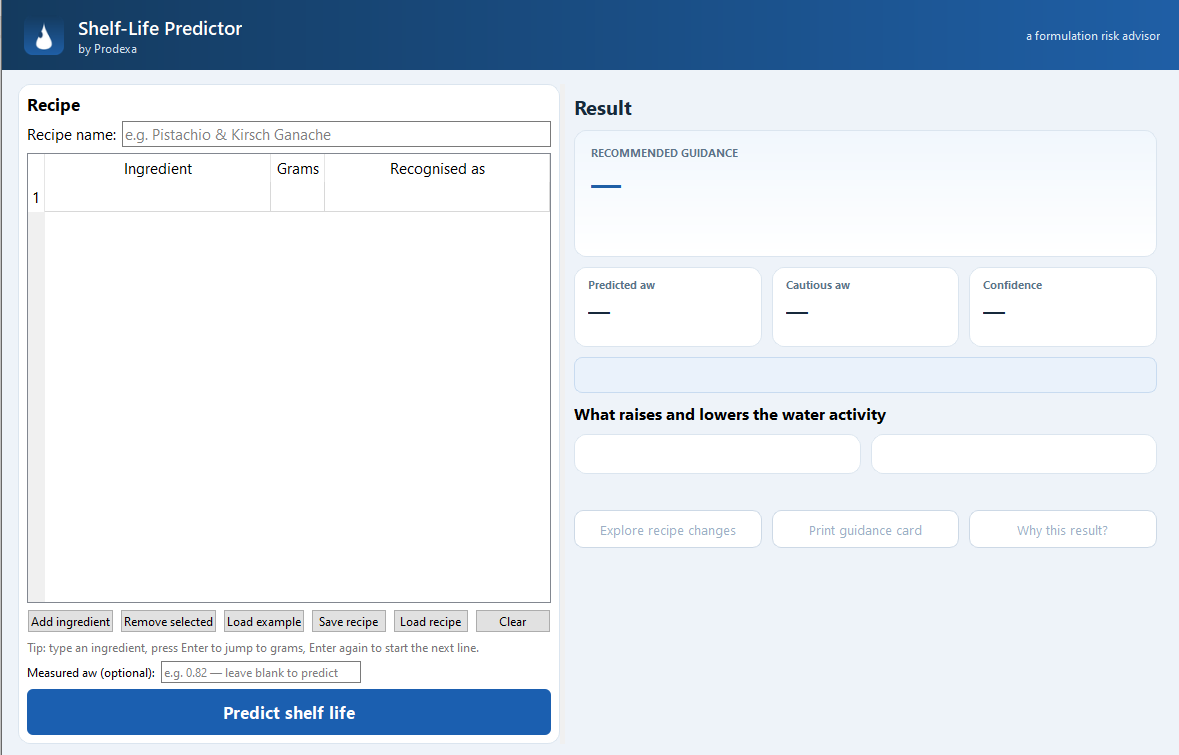
Enter each ingredient and its weight in grams. The Predictor recognises what each one is, works out the recipe’s water activity, and tells you the likely shelf-life category with a cautious margin for safety.

  • Predicts water activity (aw) and a worst-case aw
  • Gives a shelf-life category and a confidence rating
  • Shows how each ingredient was recognised
  • Explains which ingredients raised or lowered the risk
  • Advises when a real lab test is the safer course
  • Prints a guidance card you can keep with the recipe
The Shelf-Life Predictor main screen with a recipe entered
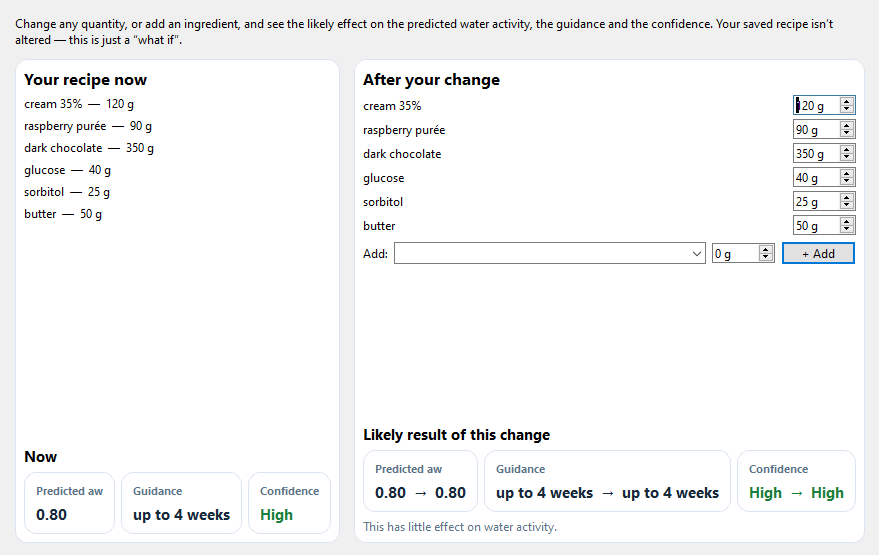
Exploring how changing an ingredient amount changes the predicted water activity

Explore changes

See what would move the shelf life

Wondering what a little more invert sugar, or a touch less cream, would do? Change an amount and the Predictor shows the new water activity and category straight away — so you can formulate towards the keeping quality you want before you ever weigh anything out.

Honest by design

A risk advisor, not a false promise

The Predictor is built to be cautious and truthful. It defaults to a conservative worst case, tells you plainly when a recipe is borderline or outside its confident range, and never pretends a number is a guarantee. It is a decision aid — it does not replace laboratory water-activity testing for formal shelf-life validation. For anything you sell, confirm with a real keeping trial.

Proven against a trusted reference

Tested against the Callebaut Chocolatier’s Kitchen

We ran the Predictor across every shelf-life recipe in Callebaut’s Chocolatier’s Kitchen — more than 250 recipes the book sorts into short, medium and long keeping. None of them were used to build the program, so this was a genuine outside check against a reference the trade already trusts.

On about 93% of those recipes it agreed with the book or was more cautious than it — and it correctly flagged 52 of the 55 genuinely short-life recipes. When it disagrees it almost always says “use it sooner”, not later: exactly what you want from a safety tool.

Where it was more generous than the book, the recipes were borderline — sitting right on the line between two shelf-life bands, where a single step either way is a judgement call. What stands out is how consistently it got it right: it lined up with, or was more cautious than, a reference the trade trusts across the great bulk of the book.

It’s an independent sense-check, not a lab certificate: the program estimates a cautious shelf-life band rather than an exact number of weeks. For anything you sell, confirm with a real keeping trial.
Honest fit guide

Is the Predictor right for you?

It does specific things well. Here is a plain guide to whether it suits your situation.

Good fit if you…

Make ganache-based products — bonbons, truffles, filled chocolates, ganache bars. Work on Windows. Want a quick sanity-check estimate before committing to a recipe or starting a batch. Need to explore what a small formulation change would do to shelf life. Understand that the result is guidance, not a lab certificate.

Not the right tool if you…

Need formal shelf-life validation for regulatory purposes — for that you need a real laboratory test. Work primarily with non-ganache products (hard confectionery, enrobed nuts, dark bars without a ganache centre). Use a Mac or Linux machine. Need to log batches or print labels — see Prodexa for production management.

Buy the Predictor

One payment. Yours to keep.

One-off payment — no subscription, ever.

  • Windows desktop program
  • Instant download after payment
  • No account or login needed
  • Works offline on your own PC

Secure checkout by Stripe. We never see or store your card details.

What happens after you pay

  1. Your download appears on screenStraight after payment — click it to download the installer.
  2. It’s emailed to you tooA backup download link. New-sender emails sometimes land in junk, so check there.
  3. Release the downloadBrowsers hold new programs back. Open Downloads (Ctrl+J); if you only see Cancel and Delete, click the small arrow on the Delete button and choose Keep anyway — that step is easy to miss.
  4. Install and runOpen the file. If Microsoft Defender says it “protected your PC”, it only shows a Don’t run button — click the More info link first, then the Run anyway button that appears. The installer then opens — follow it (Next / Install) and launch the Predictor from your Start menu.
Need it for Windows only. The download is a standard installer (no admin password required).